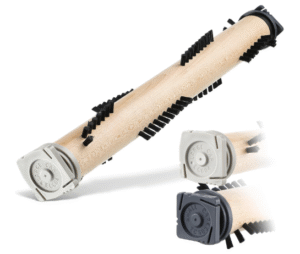
Have you ever noticed your vacuum cleaner suddenly losing its cleaning power? There’s a good chance the brush roll is the culprit. That spinning brush underneath your vacuum is what digs deep into carpets and lifts dirt, pet hair, and debris. How do you fix a brush roll that’s not spinning?
When the vacuum brushroll stops spinning, it’s like trying to clean with a broom that’s lost its bristles. This can be frustrating and ineffective.
The good news is that a brush roll that isn’t spinning is usually an easy fix. Whether you’re using a Dyson, Shark, Bissell, Hoover, or any other brand, the problem often comes down to one of a few common issues. Let’s go step by step and get your vacuum back to peak performance.
How to Fix a Vacuum Brush Roll That’s Not Spinning
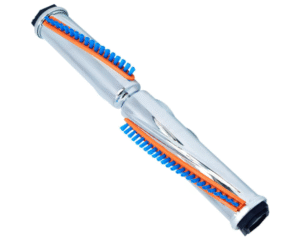
Step 1: Check If the Vacuum Is On “Carpet Mode”
Before diving into the mechanical stuff, make sure your vacuum settings are correct. Some vacuums have separate modes for hard floors and carpets. The brush roll only spins in carpet mode. If your machine is set to hard floor mode, the brush won’t rotate.
Quick fix: Flip the switch or press the carpet mode button, and see if the brush starts moving again.
Step 2: Unplug and Inspect the Brush Roll for Tangled Hair or Debris
Hair, threads, and even carpet fibers often get wrapped around the brush roll, especially in homes with pets. This buildup can jam the brush roll and stop it from spinning.
Here’s how to fix it:
1. Unplug your vacuum for safety.
2. Flip it over to expose the brush roll.
3. Use scissors or a seam ripper to carefully cut away tangled debris.
4. Rotate the brush roll by hand. If it spins freely, you’re halfway done!
Pro tip: Regular cleaning of the brush roll not only fixes problems but also prevents motor strain and extends the life of your vacuum. If you’re not sure how often to clean it, check out this helpful guide on vacuum maintenance.
Step 3: Inspect the Belt (The Most Common Cause!)
The belt is what connects the motor to the brush roll, allowing it to spin. Over time, belts can stretch, slip, or break entirely.
To check the belt:
– Remove the bottom plate or brush cover (usually a few screws).
– Look for a rubber belt running from the motor shaft to the brushroll.
– If it’s broken, loose, or smells burnt, it’s time for a replacement.
Replacement tip: Belts are inexpensive and easy to find online or at local stores. Be sure to get one that matches your vacuum’s model number.
Step 4: Check the Motor or Brush Roll Switch
Some vacuums have a dedicated brush roll on/off switch, separate from the power button. Make sure that switch hasn’t been accidentally turned off.
If the switch is on and the brush still won’t spin, the issue might be electrical:
– The motor that drives the brush roll could be faulty.
– There might be a wiring issue between the main power and the brush assembly.
If there’s silence when you turn it on, the motor may need service or replacement.
Step 5: Check for Clogged Air Paths or Filters
Sometimes, the brush roll stops spinning because the vacuum senses a blockage. Many modern models have safety features that cut off the brush motor when airflow is restricted to prevent overheating.
To troubleshoot:
i) Check the main hose, wand, and intake for blockages.
ii) Empty the dust bin or bag.
iii) Wash or replace filters if they’re dirty.
For more insights on airflow and suction performance, check this guide on how vacuum suction power works.
Step 6: Examine the Brush Roll Bearings and End Caps
If everything else seems fine but the brush still won’t turn smoothly, the issue could be with bearings or end caps. Dust, hair, or carpet fibers can lock these in place.
How to fix it:
1. Remove the brush roll completely.
2. Take off the end caps (they usually pop or screw off).
3. Clean the bearings thoroughly and apply a small drop of lubricant.
4. Reassemble and test.
If the brush still feels stiff or squeaky, consider replacing it.
Final Thoughts
A vacuum roller brush that won’t spin can turn cleaning day into a mini nightmare, but don’t panic. In most cases, the fix is simple and inexpensive. Whether it’s tangled debris, a broken belt, or just a mode setting, you can usually get your brush spinning again in under 30 minutes.
If you’ve gone through all the steps and it’s still not working, it might be time to contact the manufacturer or consider a new model. Remember, your vacuum is only as good as its brush roller. Treat it well, and it’ll keep your floors spotless for years to come!